Description
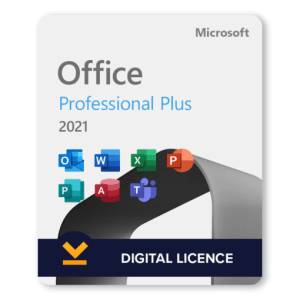
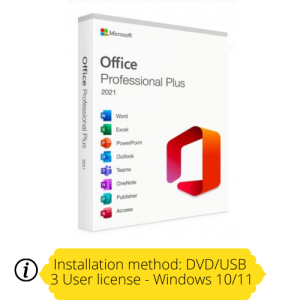
MICROSOFT OFFICE 2021 PROFESSIONAL PLUS LTSC 3 DEVICE LICENSE
The product license key and setup information will be sent via eMail within 24 hours, usually much sooner.
***NOT SUITABLE FOR MAC SYSTEMS***
Office Professional 2021 LTSC is for growing small businesses who want the classic Office apps (Word, Excel & PowerPoint) plus Outlook, Publisher, Access, Skype for Business and the ability to store documents in OneDrive or locally on your computer. In Office 2021, you’ll find new co-authoring features, inking tools, data types, functions, translation and editing tools, motion graphics, ease-of-use features, and so much more.
Office 2021 and Office LTSC are officially released by Microsoft. Essentially, Office 2021 and Office LTSC are the same. Office LTSC stands for Office Long Term Servicing Channel. LTSC means that the product will be supported by Microsoft for longer with security updates. It’s different with Office 2021 where the support is usually provided for a shorter duration. Office LTSC means it is a one-time purchase which many businesses prefer than the subscription license Microsoft 365.
Download Link for 32 bit and 64 bit versions.
Complete installed 2021 versions of Word, Excel, PowerPoint, OneNote, Access, Publisher and Outlook.
All language packs included.
For 3 PC systems (Windows 10 or later).
Any existing MS Office software will need to be uninstalled before activating this key – this includes demo software including MS Office 365.
Compatible with Windows 10,11 – 32 and 64 bit. This is a lifetime activation for use on three PCs.
System requirements:
| 1.1 GHz or faster, 2-core processor. |
| 4 GB RAM. |
| 4 GB free disk space. |
| 1280 x 768 or higher screen resolution. |
| Windows 10, 11 |
| Graphics hardware acceleration requires DirectX 9 or later. |
Applications included
Microsoft Outlook

Easily manage your email, calendar, contacts and tasks. Push email support keeps your inbox up to date, conversation view groups related messages and calendars can be viewed side-by-side for planning.

Microsoft Word
Create and share professional-looking documents with state-of-the-art editing, reviewing and sharing tools. The new Design tab provides quick access to features, and Smart Lookup shows relevant contextual information from the web directly inside Word.
Microsoft Excel
Analyse and visualise your data in new and intuitive ways with a fresh user interface plus your favourite keyboard shortcuts. Leverage features like Analysis Toolpak, Slicers, and Formula Builder to save time, so you can focus on insights.

Microsoft Powerpoint
Create, collaborate and effectively present your ideas with new slide transitions and an improved Animations task pane. Threaded comments alongside your slides help you incorporate feedback into your presentations.

Microsoft Access
Access is an easy-to-use tool for quickly creating browser-based database applications that help you run your business. Your data is automatically stored in a SQL database, so it’s more secure and scalable than ever.
Microsoft Publisher
Easily create, personalise and share a wide range of professional-quality publications. Swap pictures with a simple drag and drop or add pictures directly from your online albums. Use special effects to make your publications stand out.

Microsoft Onenote
OneNote is a note-taking application. It provides a hub for all of your notes, which can be organised into separate notebooks, and individual sections within notebooks. It is compatible with a range of digital formats, meaning it’s possible to pin multimedia documents as well as simple text.

Microsoft Teams
Microsoft Teams is a persistent chat-based collaboration platform complete with document sharing, online meetings, and many more extremely useful features for business communications. Having an excellent team space is key to being able to make creative decisions and communicate with one another.